Learn Batch Relay
Step-by-step instructions and curated Guides for running your studio on Batch Relay.
Build Your First Template
Design the prints you’ll sell. Start a template, name it, and learn the canvas you’ll use for every job.
Start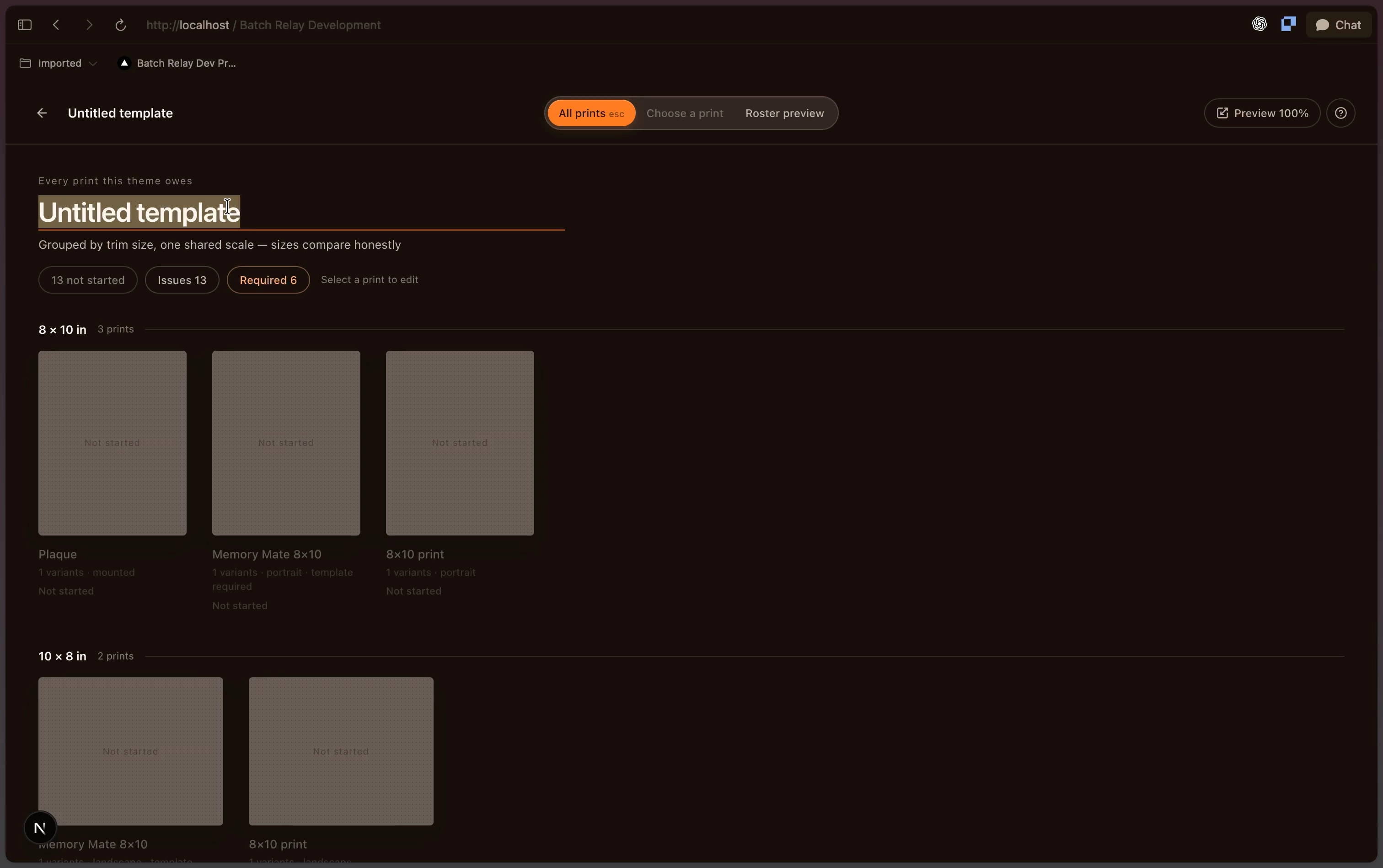
What Learn covers
Learn is the product documentation for Batch Relay. It is written for the person actually doing the work in the app — the studio owner setting things up before a season, the designer building print templates, and the staff member publishing a storefront the week before picture day. Every page covers one task, in the order you hit it, with the exact screen and control named. Most are short enough to keep open on a second monitor while you follow along, and many include a screen recording of the same steps.
The 15 published pages cover three workflows end to end. Getting Started takes a brand-new studio through its profile and payout setup so it can accept money. Build Your First Template covers the Template Engine: creating and naming a template, the canvas and layer model, adding text, images, and a logo, and resizing artwork across every card size you sell. Storefronts and Packages covers products, packages, and publishing a storefront parents can order from. Sections for events and rosters, orders and payments, images and fulfillment, and troubleshooting are being written now and appear here as they publish.
Three ways to start. If you have just been given an account, work straight down Set up your studio. If your studio is already live and you are here to build artwork, start at Build your first template. If you are getting ready to sell, start at Launch your first storefront. Search at the top of the page goes across every article if you already know the term you are looking for.
Learn answers “how do I do this in Batch Relay.” For the wider workflow questions behind it — choosing a lab path, pricing packages, structuring CSV data, moving off ROES — read the workflow guides, which cover the decisions rather than the clicks.
Browse by section
- Getting Started3 articlesSet up your Batch Relay studio: complete your studio profile, connect payouts, and get ready to run your first event.
- Build Your First Template9 articlesDesign the prints you sell. Create a template, learn the canvas and layers, then add text, images, and logos across every card size.
- Storefronts and Packages3 articlesBuild products and packages, then publish and share a storefront that parents can order from.
Command Palette
Search for a command to run...